Wopet Automatic Cat Feeder, Ft70 Timed Cat Feeder Pet Dry Food
Dispenser
USD $29.99
Condition : New
Free Shipping

Notify me when the price drops
We will email you if we find a lower price on this product!
Plug in the pet feeder to power outlet and turn on the machine. The screen will light up and the clock icon will flash
step 1:Set the current time
Press the setting button to set the time. Use the up and down arrow buttons to adjust the clock hour, when done, press on the setting button again to confirm and save.
Then, you will be allowed to set the clock minute, using the same up and down buttons,
and press on the same setting button to confirm and save when you are done
step 2:Set up your first meal
The first meal (1) icon flashing,Press on the setting button and adjust the portion size using the up and down arrow buttons. When done, press on the same setting button to save and confirm the portion size
To set up the meal time for the first meal, use the up and down arrow buttons to adjust the clock hour, press on the same setting button when done,
and you will proceed to set the clock minute. Again, press on the same setting button when done.
step 3:Set the 2nd and 6th meal in the same way
When you are done with all settings, press on the return button to return to the main menu.
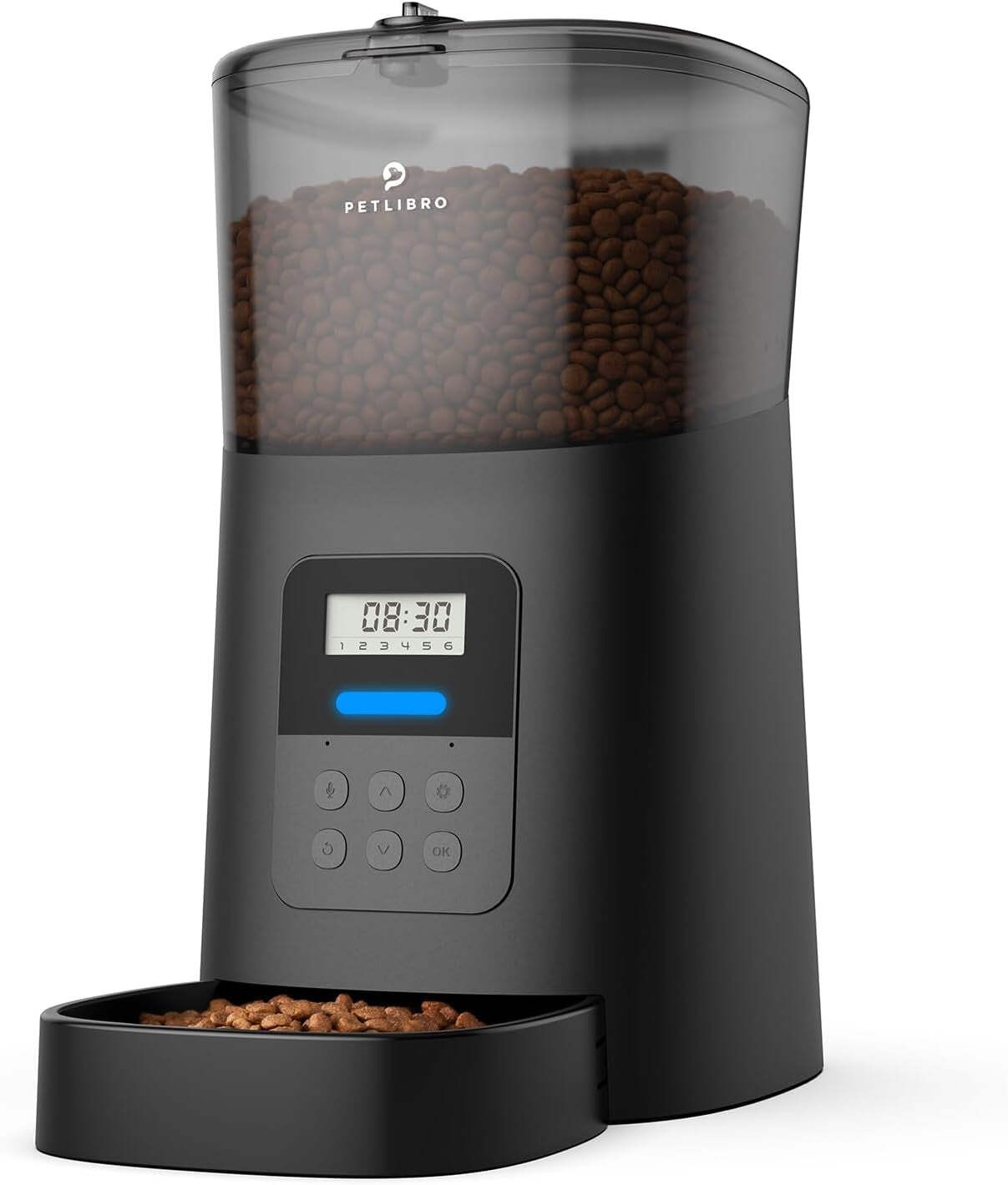
DesiccanNo more morning/midnight meowing calls, and no more worries about who feed your pets whether overtime at night or travel. WOPET automatic cat food dispenser takes up your feeding works and will feed the right portion at the right time, keep your pets away from hunger and get well cared for healthy weight control.
Desiccan
5L/21 cups food tank
Programmable 1-6 meals/day
1-8 portions/meal (1 portion=15g)
Patent rotor design & twist-lock lid
Food-stuck & low battery power alert
10s voice recording for feeding remind
Dual power suply and memory function
Suitable for small/ medium cats and dogs







 .
.
